

Legacy tools still run most of the world, but they weren't built for AI. They barely work for humans. No APIs, messy UIs, and tons of manual data entry. IT teams spend 40% of their time clicking through dashboards. Doctors spend hours every day just typing into EHRs.
We built Granite to try to fix that issue. Granite is an automation platform for legacy applications. You point it at your internal tool (IBM DB2, SAP, Epic, etc.) and it learns how to use it like a human would. Type in a prompt and watch it run. It figures out the relevant context, the inputs, the clicks, turning the workflow into an API endpoint.
You might think Granite sounds like just another RPA automation tool (or a traditional Computer Use Agent), but that's where it gets interesting.
Going back a few months, we didn’t set out to build Granite. We started with a totally different problem. Our original project was Axion, an IAM tool to onboard and offboard employees onto a company's stack of SaaS with a single button click. SSO made adding members to the modern suite of SaaS incredibly easy, and this worked for 80% of their applications, but the high-value (and often still regularly used tools) had no easy way to add SSO.
These old systems had no APIs. The only way in was the UI.
To solve this, we hacked together something ugly.
We built custom tooling that would control a single VM to add and remove people from these legacy apps. We would ssh into the VM and install the company's specific application through the terminal. We would then use TigerVNC to access the VM’s GUI and then manually click the buttons to add a user, using a pyautogui macro recorder in the background to track these clicks. We then set up a simple server to trigger this macro over SSH every time we wanted to add/remove a user.
Now let’s assume the case where we send a request to remove a user, but the user does not exist in the app. All of a sudden, there’s a big error on the screen. For humans, this would be really trivial – just click “OK” and move on. The macro couldn’t. It just continued to click around, acting as if nothing had changed.
We tried adding a layer of defense against these errors: if a user doesn’t exist in our local db (replicating the one on the VM), then don’t run the macro. If the user already exists in our db, then also don’t run the macro.
Yet, this just exposed more issues. It felt like playing a game of whack-a-mole in an open field. You never knew where the next one would pop up or if it even would.
Then it clicked for us. This is the exact problem with most RPA solutions. It’s brittle. It doesn’t understand what’s on the screen. Every automation is built for a single, specific use-case, assuming the happy path and only a subset of possible errors (6 - 8 weeks on average for a medium complexity workflow, including design, development, testing, and deployment).
So, we rebuilt the whole thing from scratch.
Our solution:
Granite uses general computer-use models, combined with a variety of other subagents (planning agents, UI-tree analysis agents, etc.) to power the initial “discovery” process.
Where it gets interesting is through our caching workflow. When you type a prompt, Granite plans the workflow, runs it once, and then caches everything about that run. It remembers each step (the state of the accessibility tree and the screen, patterns around mouse hot zones, and even the semantic representation of each screen). After that, we expose an endpoint to deterministically replay that task.
Every new automation makes the agent smarter. Let’s say you create a new automation. We use sub-trajectories from the previous runs, combining each new automation with what it has learned from previous runs, making the agent more deterministic and reliable with every task.
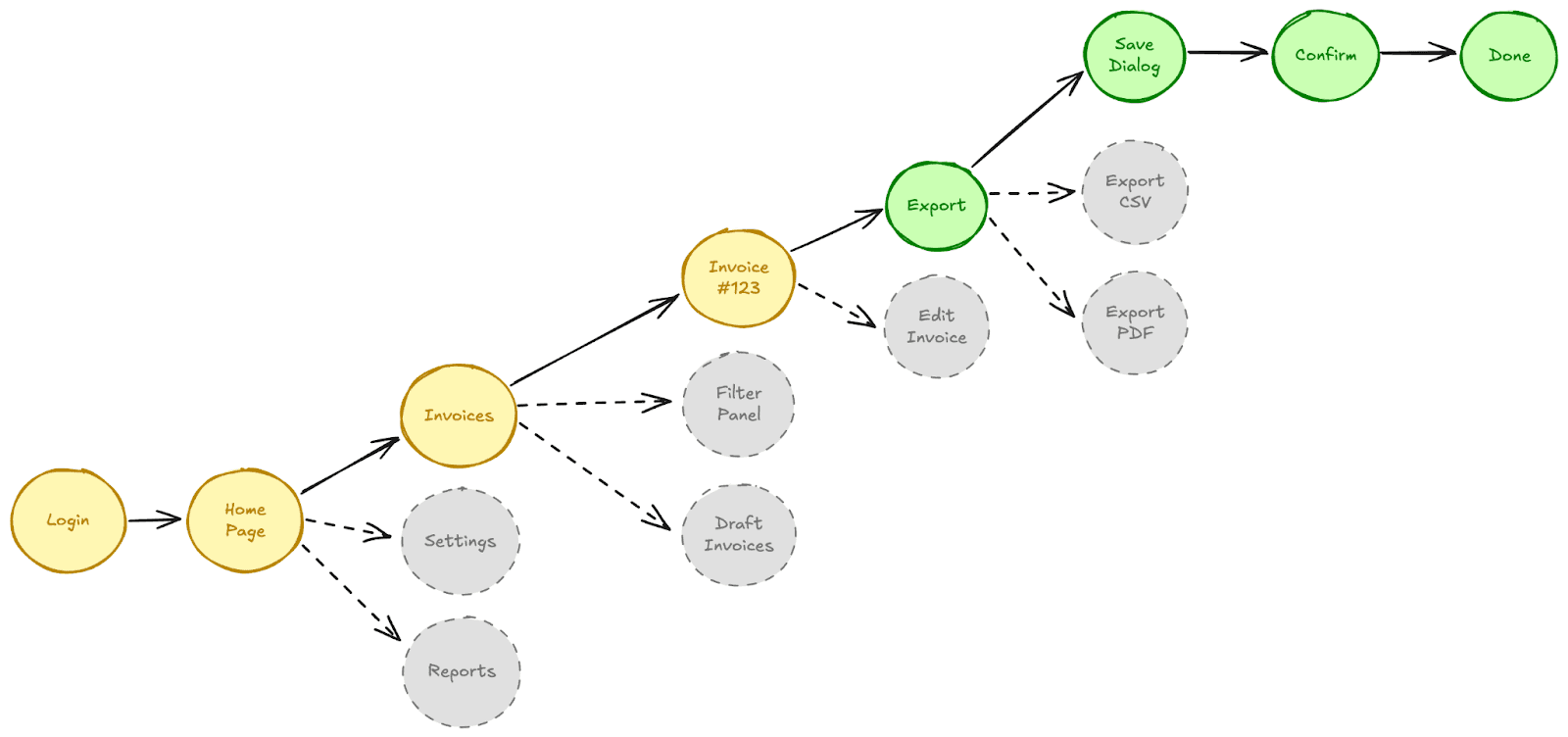
The generated URL for the automation can be simply added to any existing workflow tool your company may be using, whether that’s n8n or zapier, or directly integrated with your code.
We’re still early, but we are improving fast. Accuracy, speed, and completion rates across a variety of workflow complexities all climb every week. The caching isn't perfect, and our infra for concurrent API requests needs a rethink. But that's the point.
We truly believe that this is the first step towards fully automating legacy tools (and our long term vision of building truly agentic coworkers). We're excited to finally go past an MVP and launch our first public beta.
Our goal:
For clinicians, it means no more copy-pasting patient data.
For developers, it means one API instead of fifty custom scripts to integrate with larger enterprise customers.
For enterprises, it means they can finally automate without waiting for an API that’ll never come.
Legacy systems aren’t going anywhere. But we can finally make them work with the world that’s coming.